
SEMS
SEMS Sybel’s Energy Management System
Monitor solar plants, energy generation, device performance, alarms, tickets, and reports from one centralized energy monitoring platform.
Quick Answer
What this page answers
- SEMS is Sybel Micro Solutions’ Energy Management System for portfolio-level and site-level monitoring.
- It tracks real-time power, installed power, yield today, monthly yield, total yield, revenue summary, alarms, site ranking, and site cards.
- The platform supports site details, inverter monitoring, LT panel monitoring, HT panel monitoring, layouts, location, devices, tickets, and reports.
- Maintenance teams can review open tickets, resolved tickets, ticket history, device diagnostics, layouts, and alarm status from one platform.
- SEMS helps solar EPC teams and energy operators identify production, alert, and site performance status quickly.
Overview
Centralized visibility for solar plants and energy assets
SEMS is designed for teams that manage multiple solar sites, energy assets, devices, alarms, and reports. It provides both portfolio-level visibility and site-level operational detail so users can move from a high-level performance summary into specific site diagnostics, inverter details, panel charts, layouts, device status, tickets, and scheduled reports.
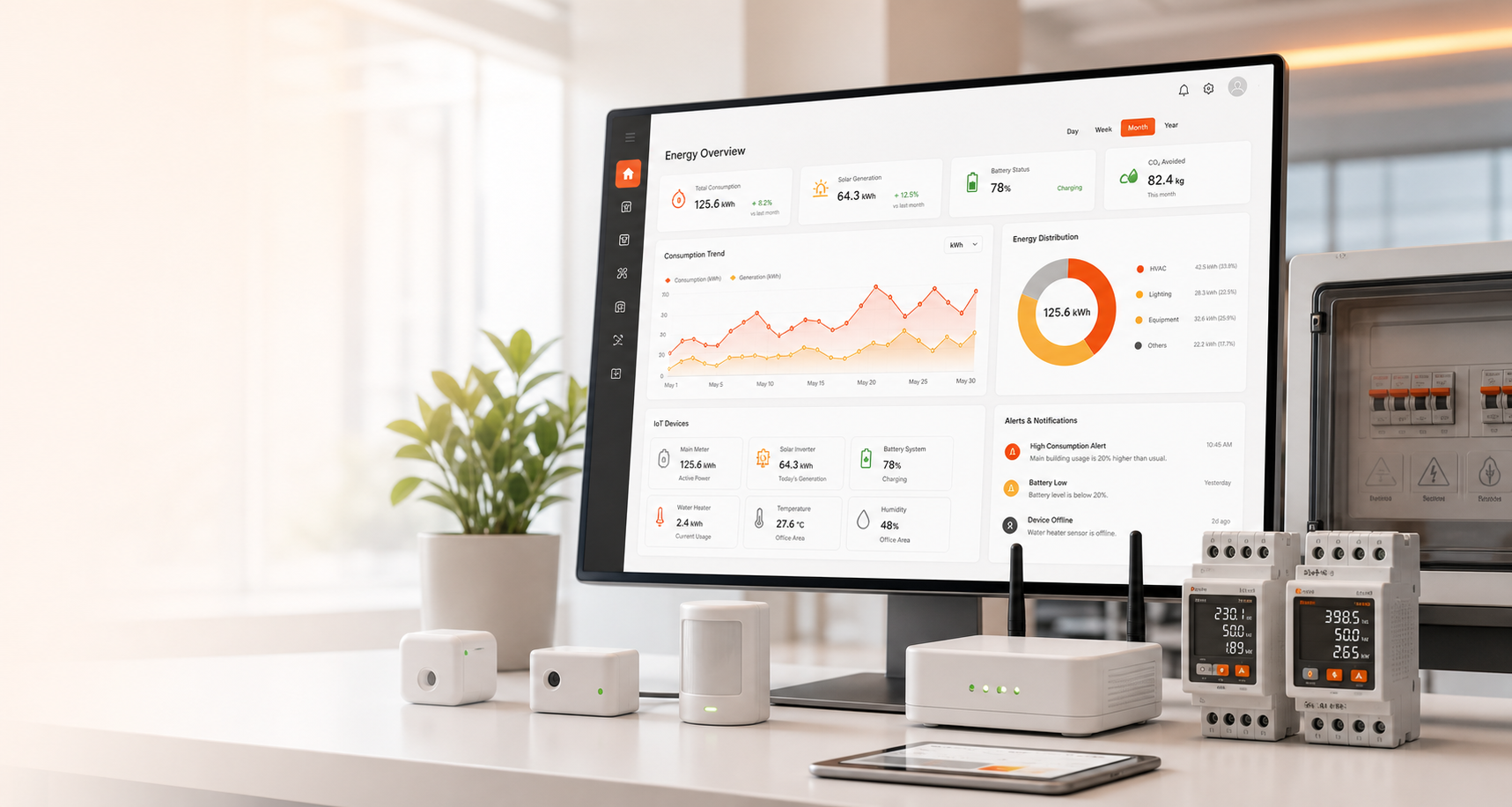
The main dashboard helps management understand real-time power, installed power, yield today, monthly yield, total yield, revenue summary, alarm count, site ranking, and site cards. From there, users can open site details to review installed DC and AC capacity, site address, coordinates, equipment counts, site dashboard, grid import/export, energy flow, and operational status.
Device-level diagnostics are central to SEMS. Inverter monitoring includes live details tables, trend charts, historical records, and string details popups. LT panel and HT panel sections provide current charts, voltage charts, history, and operational visibility. Layouts and connectivity flows help teams understand how devices relate to each other, while location maps help teams identify site context.
SEMS also supports maintenance and communication. Ticket sections show open tickets, resolved tickets, and ticket history. Reports include report details, scheduled report configuration, site selection, email recipients, dispatch time, and duplicate email prevention for scheduled communication. This helps teams review performance, communicate status, and respond to operational issues consistently.
For solar EPC teams and renewable energy operators, SEMS reduces the time spent switching between disconnected tools. A user can identify portfolio performance, open a specific site, review device behavior, check inverter or panel trends, compare status against alarms, create or review a ticket, and schedule reports for stakeholders. This creates a more practical monitoring loop for daily operations.
The platform is especially useful when teams need both technical depth and management summaries. Field teams need device readings and layouts, while management needs site ranking, yield, revenue, alarms, and report communication. SEMS brings these views into one product so operational review, maintenance action, and stakeholder communication stay connected.
Platform Flow
SEMS capabilities for monitoring and operations
Review real-time power, installed power, yield, revenue, alarms, site rankings, and site cards across multiple assets.
Open site-level data including installed DC and AC capacity, address, coordinates, equipment counts, grid data, and status.
Monitor inverter live details, trend charts, historical tables, performance records, and string-level diagnostic popups.
Review LT panel current and voltage charts, historical data, operational signals, and site electrical information.
Monitor HT panel charts, history, key readings, and energy-side operational status for high-level site review.
Use electrical and network layouts with device connectivity flows to support faster troubleshooting and site understanding.
View site location data, address, coordinates, and operational context for field and management teams.
Track device inventory, connectivity, equipment counts, and asset-level details used for maintenance and monitoring.
Manage open tickets, resolved tickets, ticket history, issue ownership, and maintenance activity.
Generate report detail pages, schedule reports, select sites, manage recipients, and control email dispatch.
Workflow
SEMS demo flow from portfolio to scheduled reports
SEMS users can move from a portfolio view into site operations, device diagnostics, tickets, and reporting without losing context.
Benefits
Operational value for energy teams
Management can compare sites, rankings, generation, revenue, alarm status, and yield across the energy portfolio.
Operations teams can review site capacity, device counts, grid import/export, energy flow, and site-level status quickly.
Inverter, string, LT panel, HT panel, device inventory, and layout views help teams isolate issues faster.
Open tickets, resolved tickets, history, ownership, and reports help teams manage operational issues with accountability.
Scheduled reports and email dispatch help stakeholders receive consistent performance summaries without manual repetition.
Users can identify production, alert, and site performance status quickly from dashboards, alarms, reports, and site cards.
Reports and Dashboards
Dashboards, reports, and KPIs in SEMS
Real-time power, installed power, yield today, monthly yield, total yield, revenue summary, fault summary, and alarm summary.
Site cards, site ranking, capacity summary, generation status, and comparative portfolio visibility.
Live inverter table, trend charts, historical inverter data, string details, and device-level performance diagnostics.
Current charts, voltage charts, panel history, and site-level electrical monitoring visibility.
Open tickets, resolved tickets, ticket history, issue status, response activity, and maintenance accountability.
Report detail pages, scheduler modal, dispatch time, site selection, recipient management, and duplicate email prevention.
Scheduling and Maintenance
Reports, scheduled emails, and issue management
SEMS is not only a monitoring screen. It supports operational communication through reports, report detail pages, scheduling controls, site selection, recipient management, dispatch timing, and duplicate email prevention for scheduled reports. This helps teams send consistent updates without accidentally repeating scheduled communication.
The ticket module helps operations teams turn observations into action. Open tickets, resolved tickets, and ticket history create a maintenance record that can be reviewed alongside alarms, inverter data, panel readings, layouts, devices, and site dashboards. This makes troubleshooting more structured and improves communication between management, field teams, and support teams.
Scheduled reports are important because many energy stakeholders need regular summaries without logging into the platform every hour. SEMS can support recurring communication for site performance, yield, alarms, and operational review, while duplicate email prevention helps keep scheduled dispatch clean and controlled.
Related Pages
Continue exploring Sybel platforms
FAQ
Frequently asked questions
SEMS is Sybel Micro Solutions’ Energy Management System for monitoring sites, devices, generation, alarms, tickets, reports, and scheduled communication.
Yes. It supports portfolio-level dashboards, site rankings, site cards, and site-level operational dashboards.
It can show real-time power, installed power, yield today, monthly yield, total yield, revenue summary, alarms, fault summary, and site ranking.
Yes. It includes inverter live details, trend charts, historical tables, and string details popup support.
Yes. It supports LT panel and HT panel monitoring, current and voltage charts, and panel history.
Yes. It supports open tickets, resolved tickets, ticket history, issue tracking, and maintenance visibility.
Yes. Reports can include detail pages, scheduling, dispatch time, site selection, email recipients, and duplicate email prevention.
Solar EPC teams, renewable energy operators, operations teams, maintenance teams, and management teams can use SEMS for energy visibility.
Next Step
Ready to monitor solar and energy assets with SEMS?
Talk to Sybel Micro Solutions about SEMS deployment, dashboards, device monitoring, tickets, scheduled reports, and energy analytics.